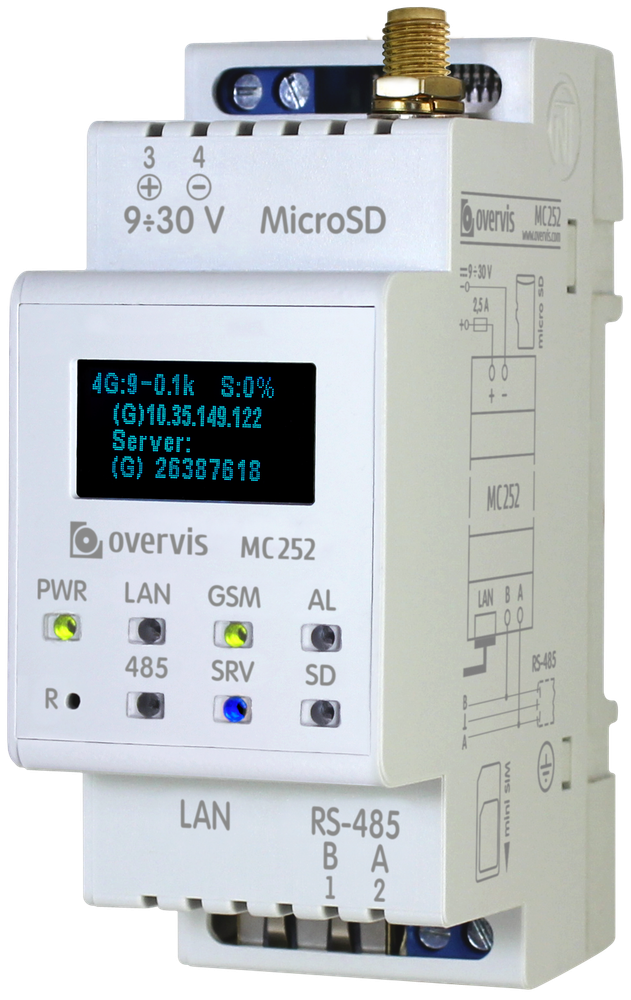
Overvis MC252
Modbus Gateway with 4G/Ethernet/RS-485
Bridges Modbus RTU and ASCII to Modbus TCP over 4G/LTE or Ethernet. In Overvis HMI, the AI sets it up as it does the MC251. On its own, it serves SCADA, HMI panels and any Modbus TCP software, with no subscription.
Set up by the AI
In Overvis HMI, by its PIN
RS-485 serial
Modbus RTU and ASCII, or raw serial data
Master and slave
RTU to TCP, both ways
WireGuard VPN
To Overvis or any WireGuard server
4G/LTE
With GSM fallback
Ethernet
10/100 RJ45 port
microSD card
Data logging and firmware updates
DIN rail
IP20, 9 to 30 V DC
With Overvis HMI
Finds and sets up the devices
The MC252 in the plant room is powered and online. What's on its bus?
- Scan bus · RS-485, 9600 bps, addresses 1 to 247
- Identify · 4 devices
- Read manuals · 3 found
Four devices, three of them ready.
I named them and set up their values from the manuals. The Carel pCO5 at address 12 has no manual yet; I'm reading its register map from the controller.
Devices found on the bus
- Set up
Danfoss AK-CC 550
Address 7 · 38 registers
- Set up
Schneider PM2100
Address 3 · 24 registers
- Set up
ABB ACS580
Address 5 · 41 registers
- Identifying
Carel pCO5
Address 12 · reading the manual
Scans the bus, identifies each device and sets up its values from the manual or register map, in any language.
Writes the programs it runs
If the internet drops, keep the cold rooms below −18 °C and log every room each minute.
- Wrote program · Cold room fallback, 46 lines
- Checked · against the four devices on the bus
Done. It runs on the MC252 itself, so it works with no connection at all.
Assistant action
Do you allow the assistant to install the program “Cold room fallback” on the MC252?
- Gateway
- MC252 · Cold store
- Runs
- While the cloud is unreachable
- Logs to
- microSD, every minute
Describe the logic in a sentence. The AI writes the program, checks it against the devices and installs it on the gateway once you allow it.
Without Overvis HMI
Complete Modbus support
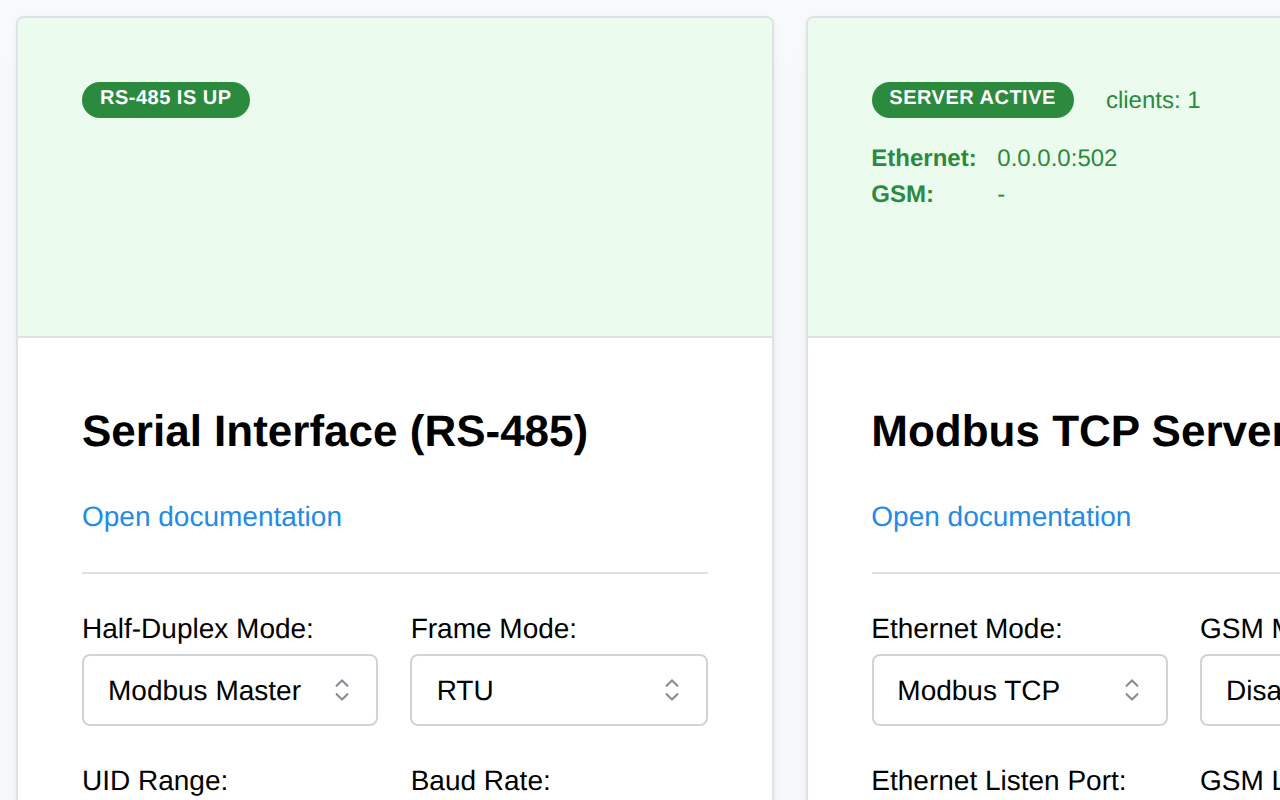
Modbus RTU and ASCII with configurable baud rates, parity, stop bits and automatic parity detection, up to 230,400 bps.
Master and slave modes
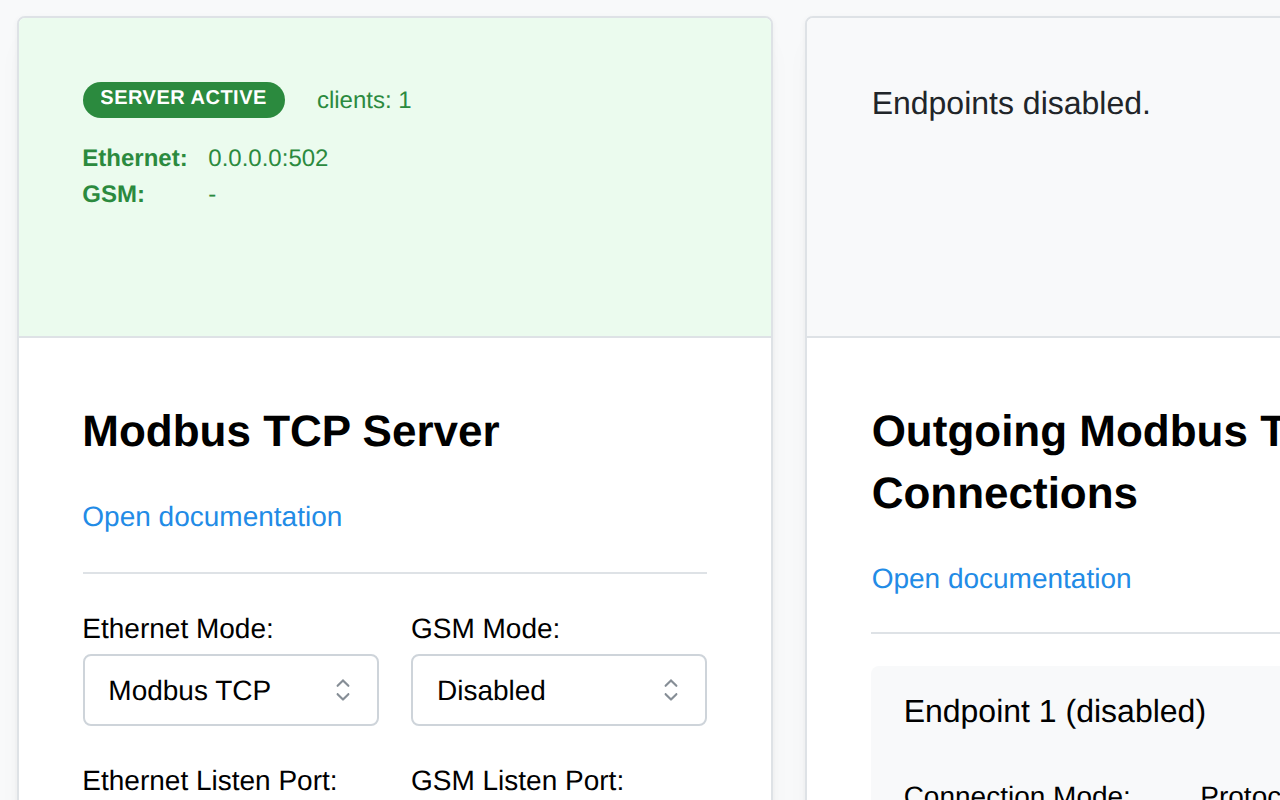
Connect to Modbus TCP servers as a client, or expose RS-485 devices as a TCP server: up to 4 incoming connections and up to 3 remote servers.
Dual connectivity
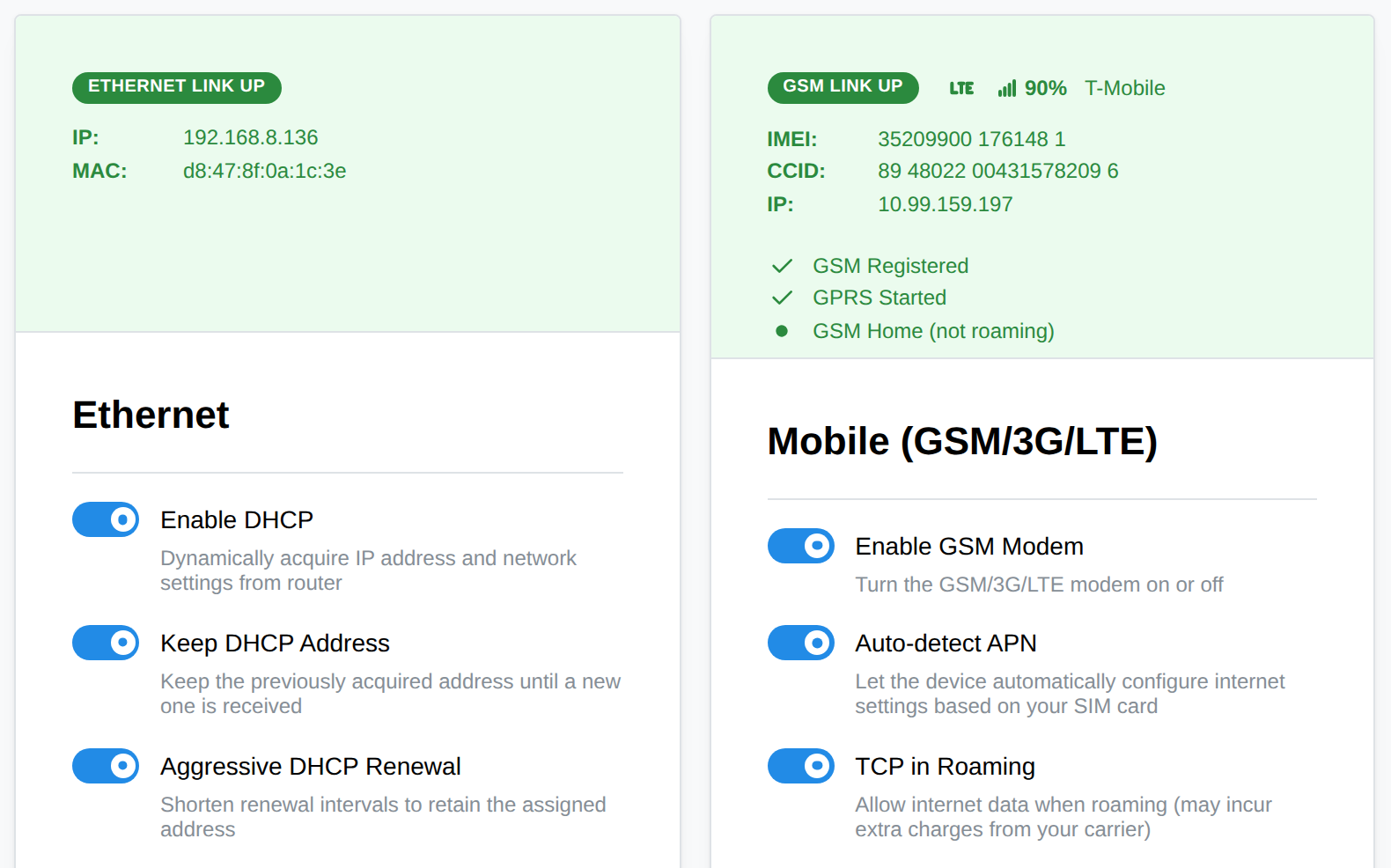
Ethernet and 4G/LTE with configurable priority and automatic failover. The connection holds when one link fails.
WireGuard VPN
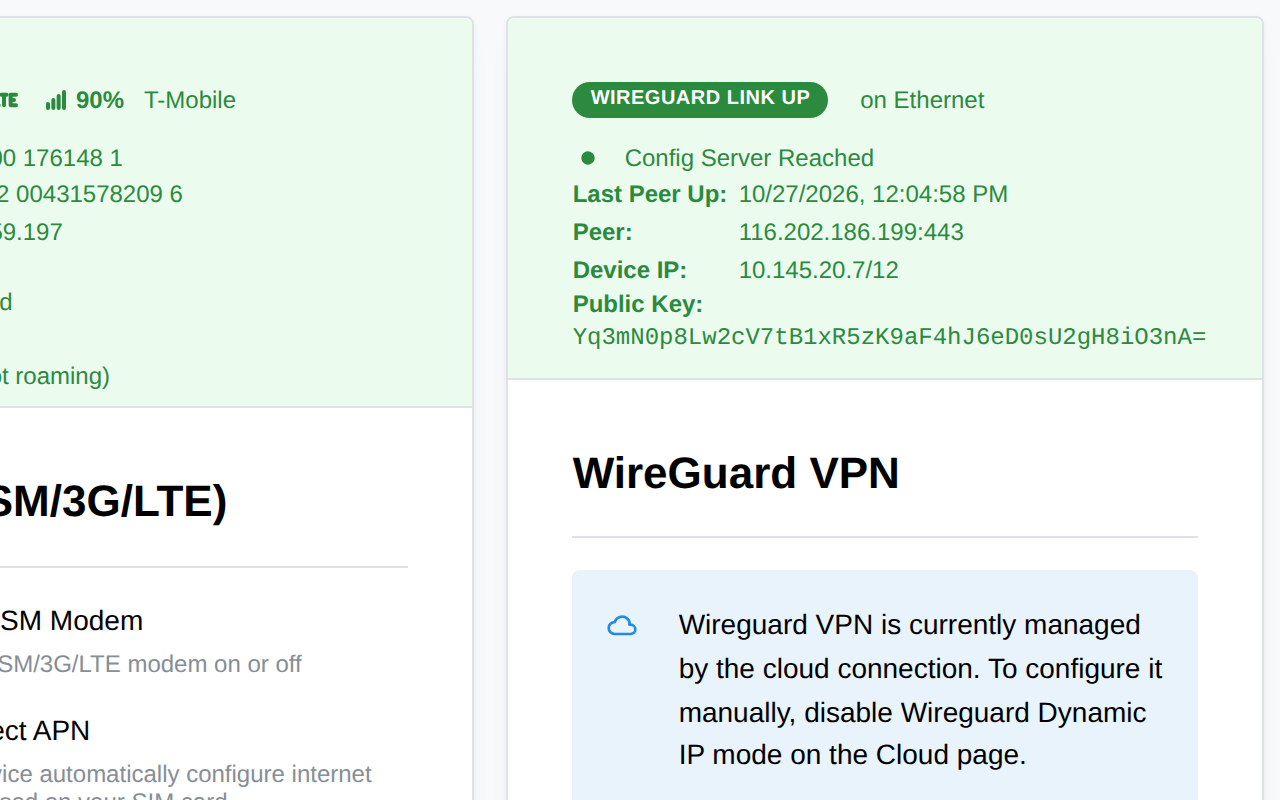
A built-in WireGuard client for any WireGuard server or router. Outbound UDP only, with no inbound port forwarding.
HTTP API
$ curl http://192.168.8.136/api/state/get/?ethernet&mbTcpServer&time
{
  "ethernet": {
    "ip": "192.168.8.136",
    "mac": "d8:47:8f:0a:1c:3e",
    "linkUp": true
  },
  "mbTcpServer": {
    "isActive": true,
    "listenPortEth": 502,
    "clients": [
      { "interface": "eth", "remoteIp": "10.144.0.14",
        "remotePort": 39246, "idleTimeSec": 4 }
    ]
  },
  "time": {
    "timeLocal": "2026-11-02T13:36:12+01:00",
    "timeUtc": "2026-11-02T12:36:12Z",
    "isDst": false
  }
}
A REST API with authentication. Automate provisioning, configuration and reads and writes from your own scripts.
Access through a browser
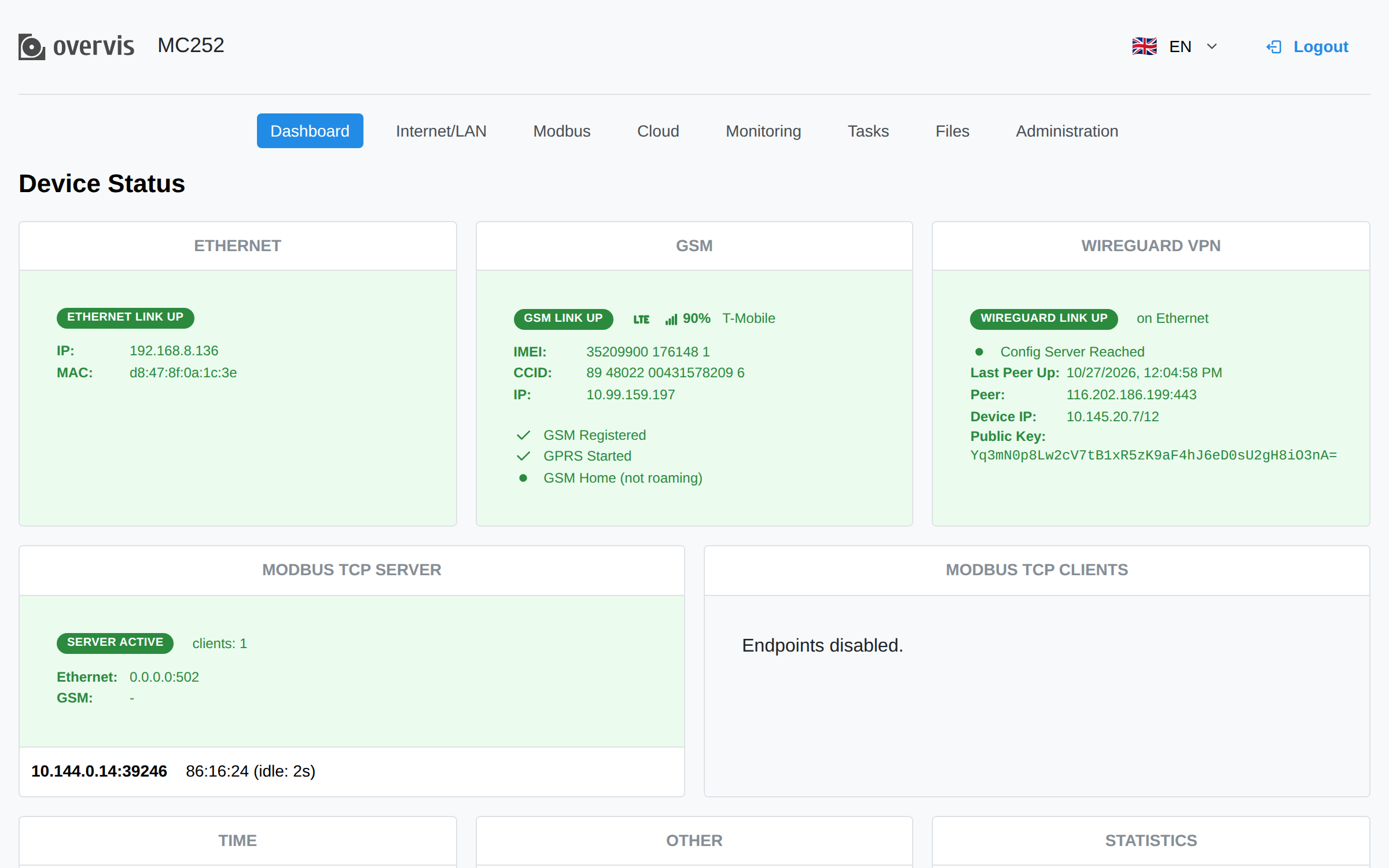
Set up and monitor the device from a computer or a phone: its status, the connected devices and every setting.
Multi-level access control
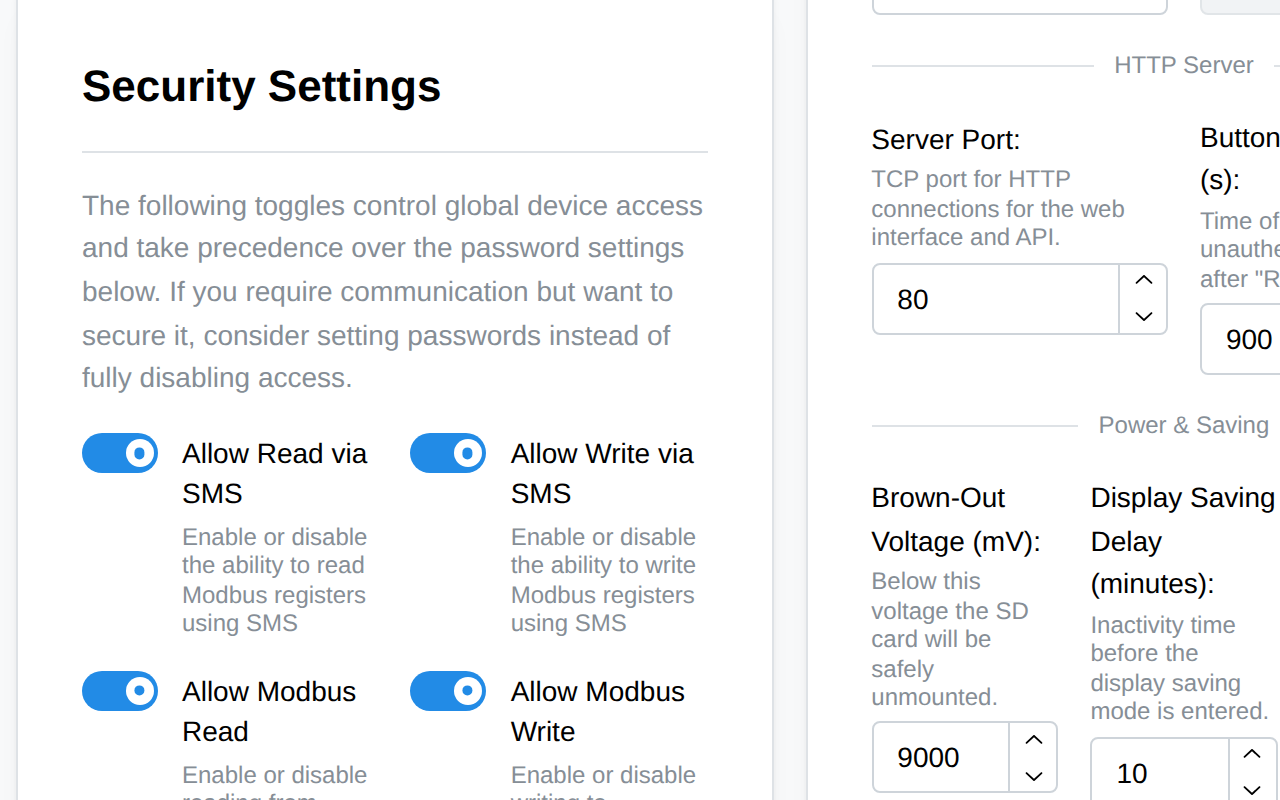
Separate passwords for the device, its settings and Modbus reads and writes, for the web interface, the API and Modbus alike.
Cloud-independent
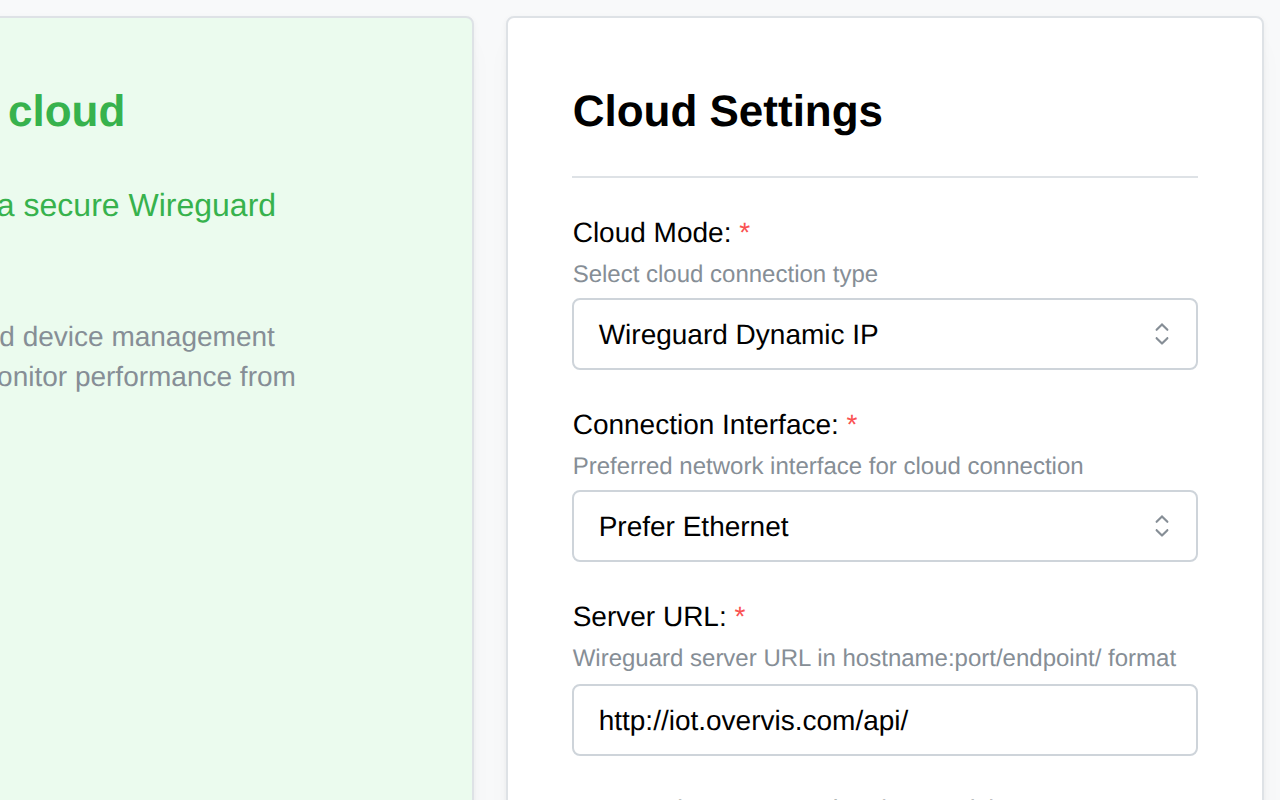
Use it with any SCADA, with your own servers or fully offline.
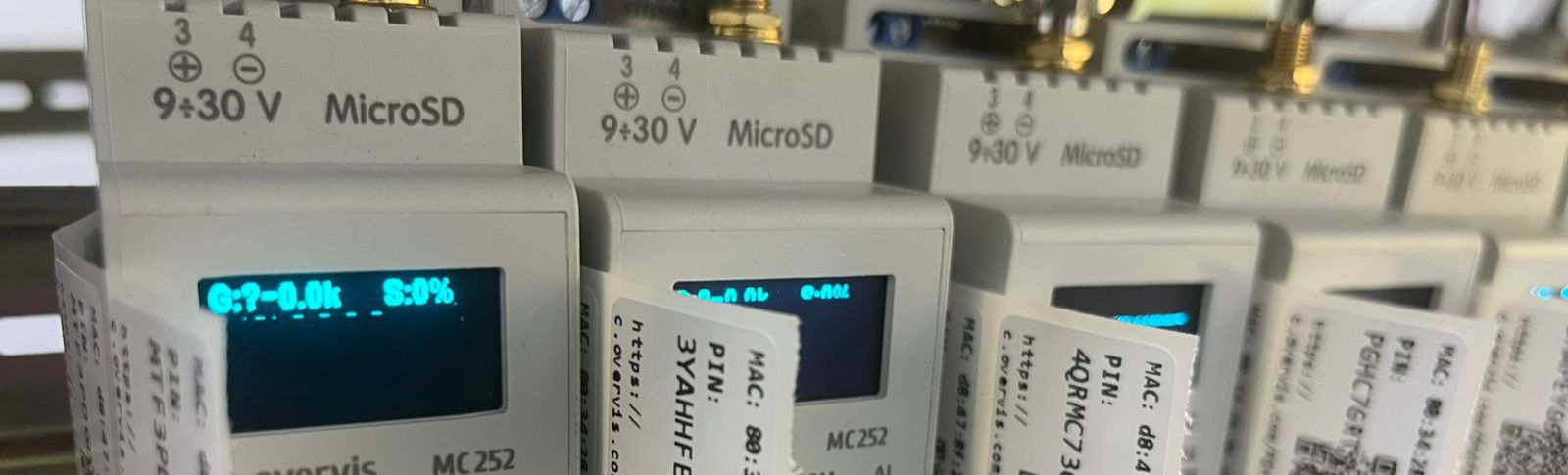
Common applications
Remote device control
Read and program RS-485 controllers from your computer, your SCADA or Overvis HMI, where the AI does it from a sentence.
PLC integration
Expose serial devices as Modbus TCP servers to any PLC, and put logic at whatever level of the system it belongs.
Network extension
Two MC252 units bridge an RS-485 network across buildings or sites over 4G/LTE or Ethernet: one to TCP, the other back to RS-485.
Network consolidation
Remap addresses to merge separate Modbus networks: two networks with addresses 1 to 10 become 1 to 10 and 11 to 20 on one interface.
Data archival
Read operating values into your own database or data warehouse, for your own dashboards and reports.
Edge automation
Scheduled tasks, event rules, SMS alerts and local logging in its task language, with no external system.
Technical specifications
Serial
- Interface
- RS-485, half-duplex, 2-wire
- Speed
- 75 to 230,400 bps
- Driver output
- 3.3 V, short circuit protected to 250 mA
- Built-in terminator
- 1000 Ω
Modbus
- Protocols
- Modbus RTU and ASCII
- Devices on the bus
- Up to 32 with 1 mA inputs, up to 256 with 0.125 mA inputs
Ethernet
- Port
- 1 × RJ45, 10/100 Mbit/s, auto MDI/MDIX
Mobile
- Module
- LTE Cat. 1 with GSM fallback
- Bands
- GSM 900/1800, LTE B1, B3, B5, B7, B8, B20
- SIM
- Mini-SIM (2FF), not included
Network
- Uplink
- Ethernet or 4G/LTE, chosen automatically
- VPN
- WireGuard
- Protocols
- TCP, UDP, IPv4, DHCP, DNS, NTP, HTTP, Modbus TCP
System
- Storage
- microSD, 2 GB card included
- On the device
- Display, status LEDs, real-time clock, astronomical timer
- Firmware updates
- Over the network or from microSD
- Ready after power-up
- Within 15 s
Power
- Supply
- 9 to 30 V DC, 12 V rated
- Consumption
- Up to 6 W
Physical
- Mounting
- 35 mm DIN rail, any position
- Dimensions, H × W × D
- 64.5 × 90.2 × 36 mm
- Weight
- Up to 400 g
- Housing
- Self-extinguishing plastic
Environment
- Operating temperature
- −35 to +55 °C
- Humidity
- 30 to 80 %, non-condensing
- Protection
- IP20, class III, overvoltage category II
- Service life
- 10 years
In the box
- Overvis MC252
- Ethernet cable
- GSM antenna, SMA
- 2 GB microSD card
- Operation manual
SIM card and power supply are not included.
MC251 or MC252
| MC251See MC251 | MC252This page | |
|---|---|---|
| Price, excl. VAT | €68 | €128 |
| Voucher for usage | €30 | €30 |
| The AI sets it up in Overvis HMI | ||
| SCADA, HMI panels and other Modbus TCP software | – | |
| Web interface and HTTP API on the device | – | |
| Warranty | Five years | Five years |
Frequent questions
Do I need Overvis HMI to use the MC252?
No. It works on its own with SCADA, HMI panels and any Modbus TCP software. Overvis HMI adds the AI, history and screens when you want them.
What does it cost to run?
Nothing on its own. In Overvis HMI it is charged like the MC251: €1.00 a month while it is enabled, plus the values it reads and the history you keep.
How many connections does it handle?
Up to 4 incoming Modbus TCP connections and up to 3 connections to remote servers, as master or slave.
Can it pass data that is not Modbus?
Yes. In tunnel mode it forwards data as it is, between RS-485, Ethernet and 4G/LTE, for each connection you choose.
Can it run logic without a server?
Yes. It runs scheduled tasks and event rules from a task file, logs to its microSD card and sends SMS. In Overvis HMI, the AI writes these programs for you.
Do I need a static IP address or port forwarding?
Not for Overvis HMI or a WireGuard server: it connects out through its own tunnel. For direct incoming Modbus TCP connections, the site network has to reach it.
How many devices can one MC252 serve?
Up to 32 on a typical RS-485 bus with 1 mA inputs, and up to 256 with 0.125 mA inputs. Wiring and bus load set the real limit.
What SIM card does it take?
A standard Mini-SIM. The APN is detected automatically and can be changed in the web interface. The SIM card is not included.
Is a power supply included?
No. It needs 9 to 30 V DC, 12 V rated, and draws up to 6 W through a two-pin terminal.
What does the warranty cover?
Five years from the date of sale. A faulty device is repaired free of charge.